
Primary messaging channel
WhatsApp, with your existing number
WhatsApp is Epimela’s main supported messaging channel today. Connect your existing WhatsApp number with a quick QR code scan — no separate number needed.
Product
A conversation becoming a job is the start. Here is what sits behind it: where the work goes, how you control each step, how Epimela learns your business, and how you test it all before going live.
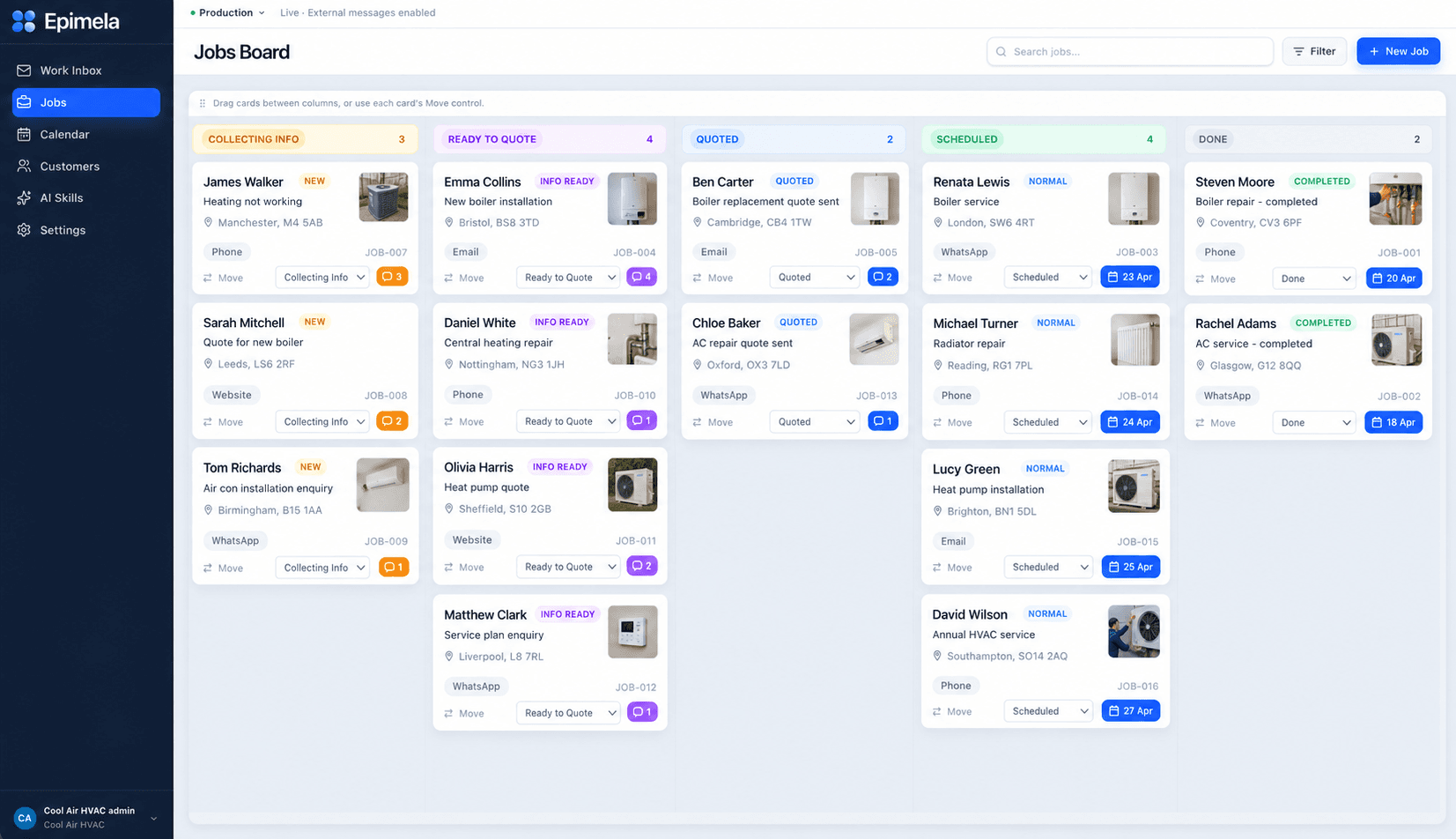
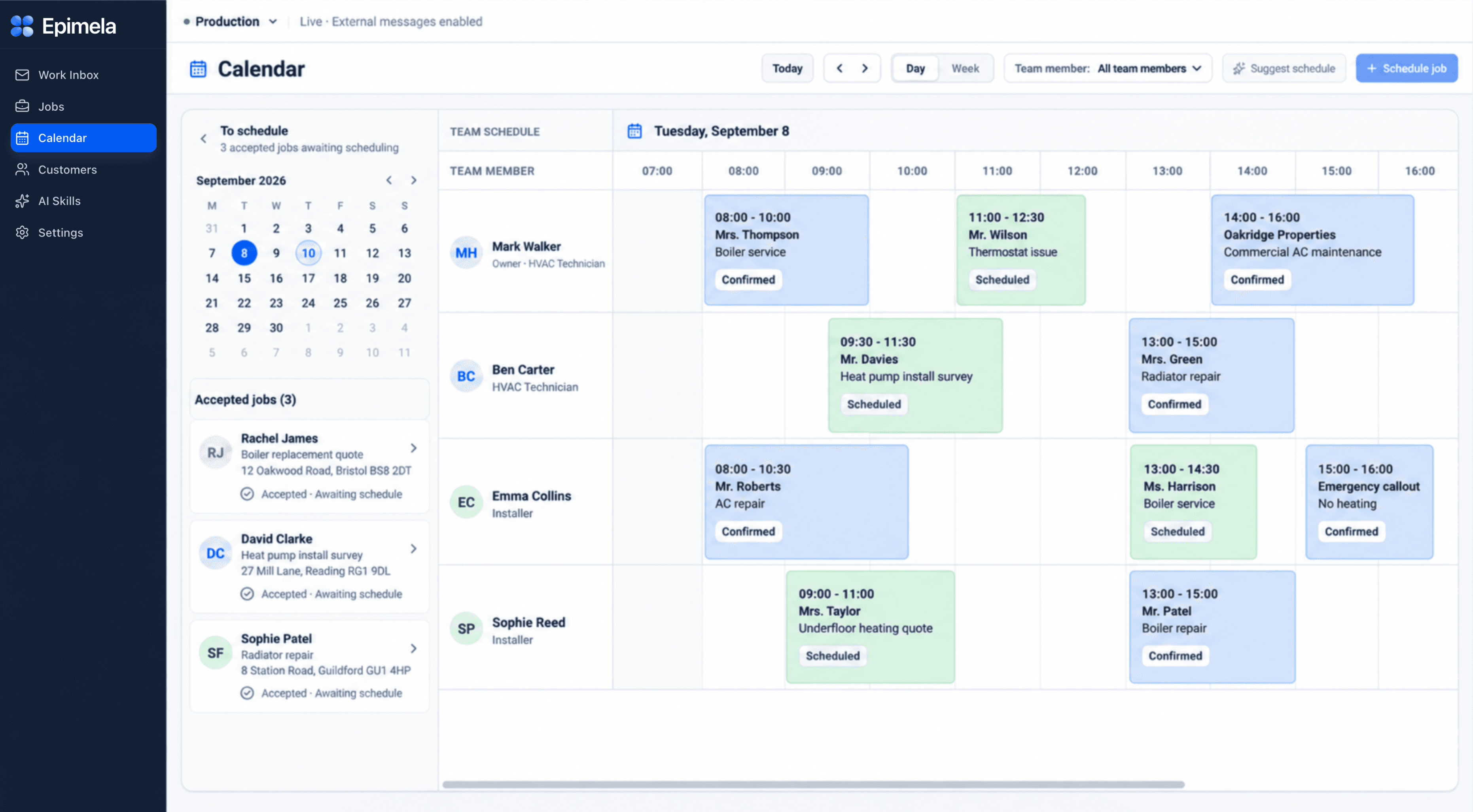
Jobs and calendar
Track work by stage, move jobs forward, and schedule visits without losing context. Epimela gives your team a clear board for progress and a calendar for real-world execution.
See every job, its current stage, and what needs attention.
Plan your team’s time with a clear visual calendar.
Move jobs, adjust schedules, and keep clients in the loop.
AI skills and control
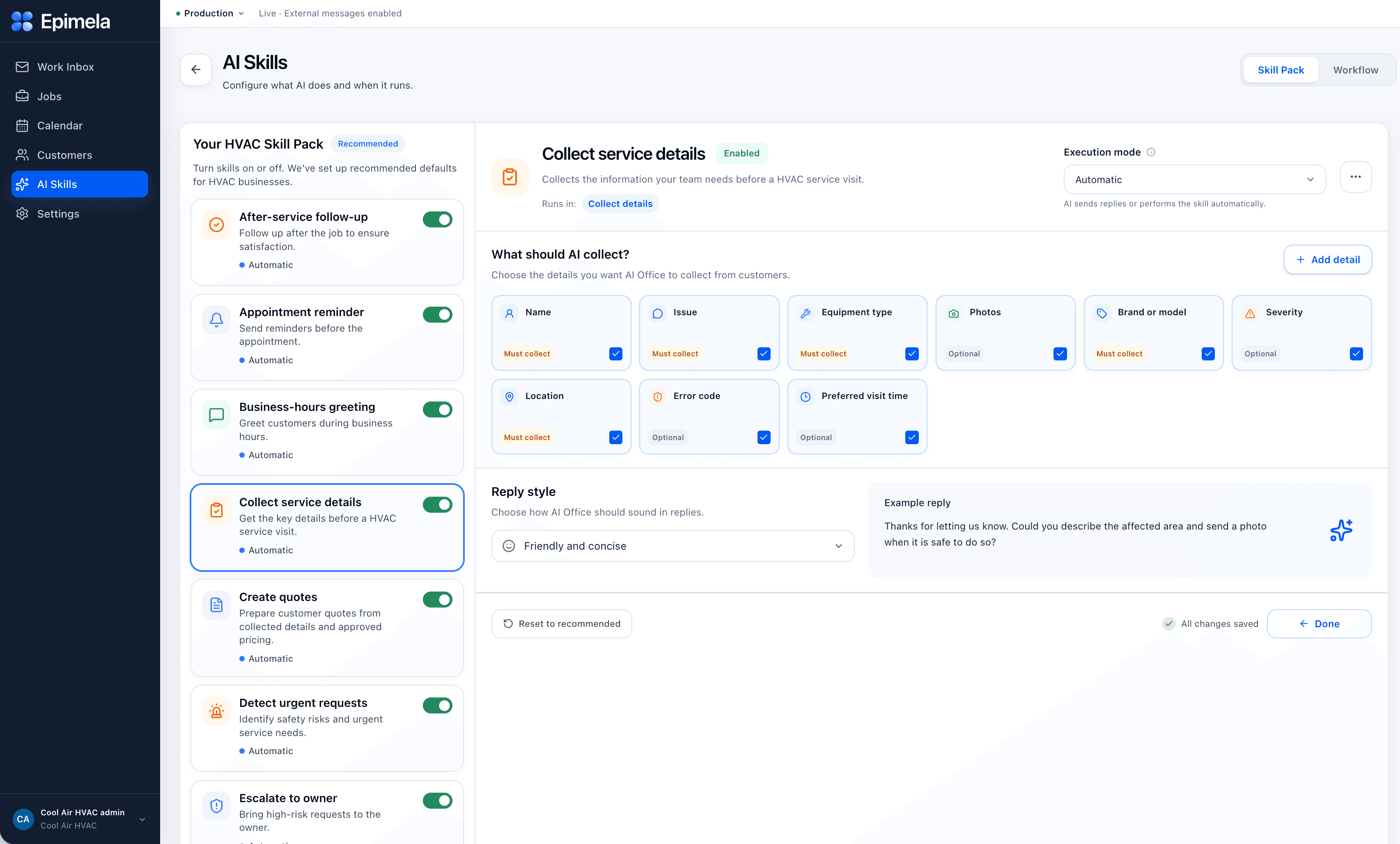
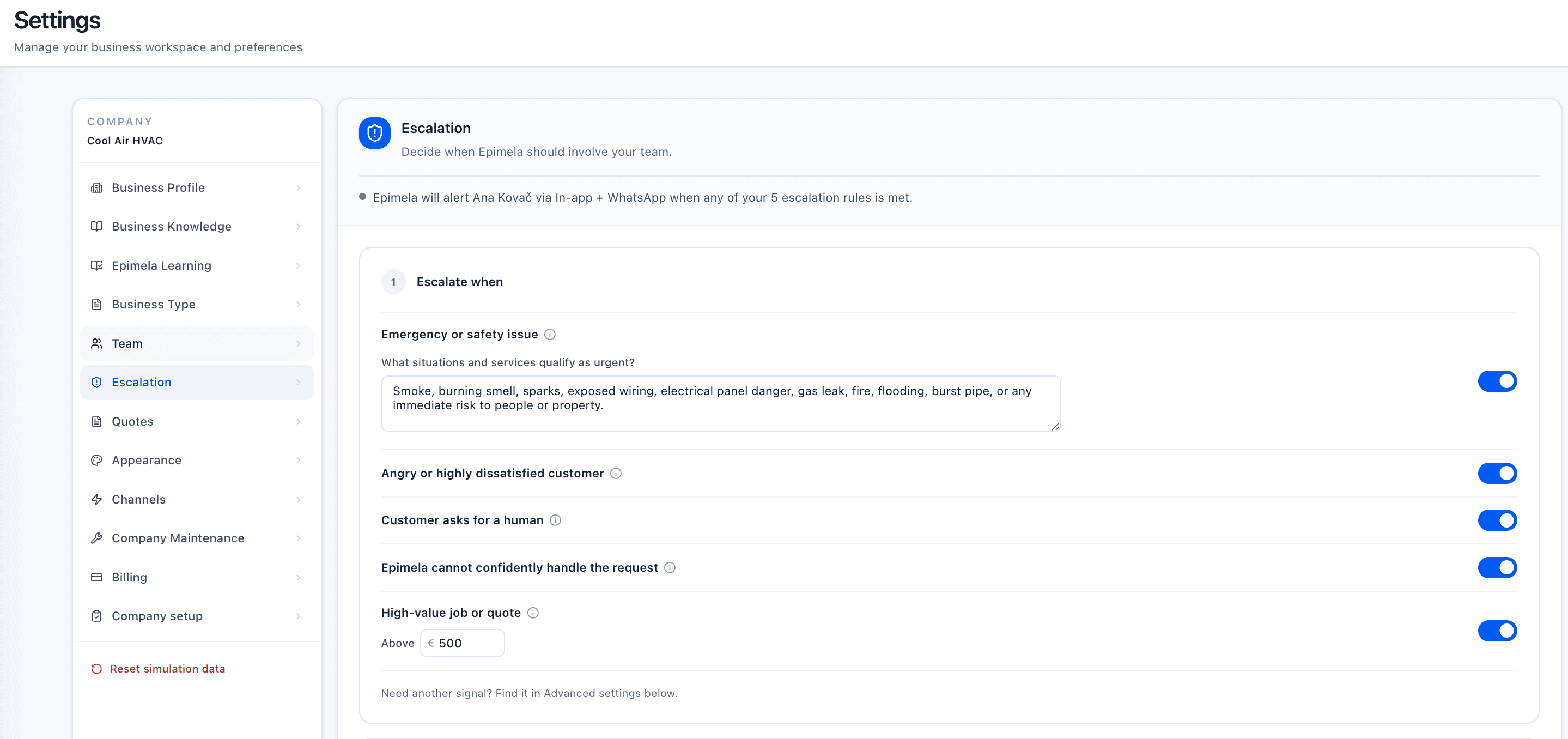
Every step can run automatically or wait for your review and approval. Choose the level of control that suits your business, then configure skills, business knowledge, and escalation rules.
Let Epimela handle each step on its own, or require your review and approval before it acts.
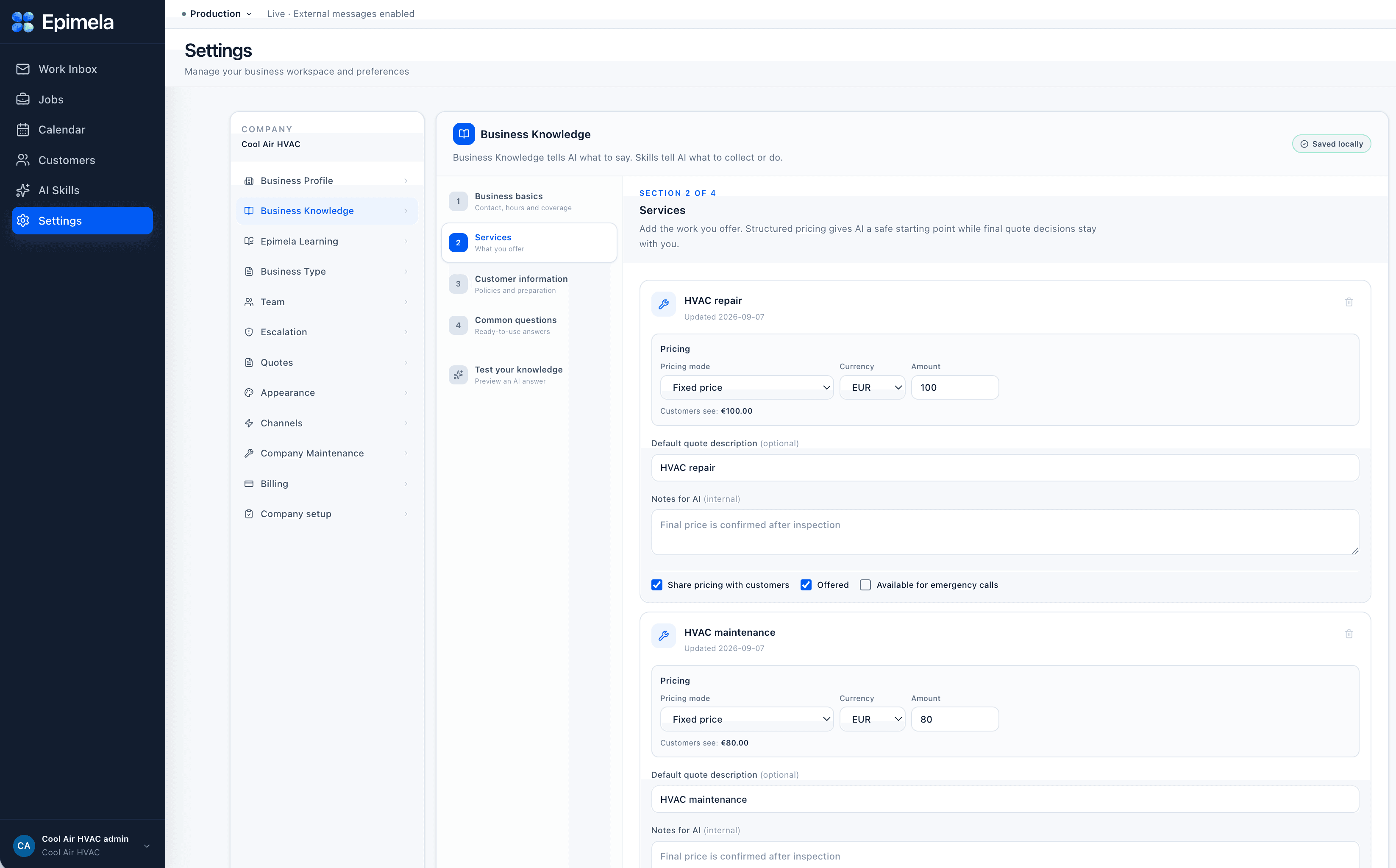
Teach services, pricing notes, and company-specific guidance.
Send important or uncertain cases to the owner with the right context.
Execution mode ⓘ
Learning + business knowledge
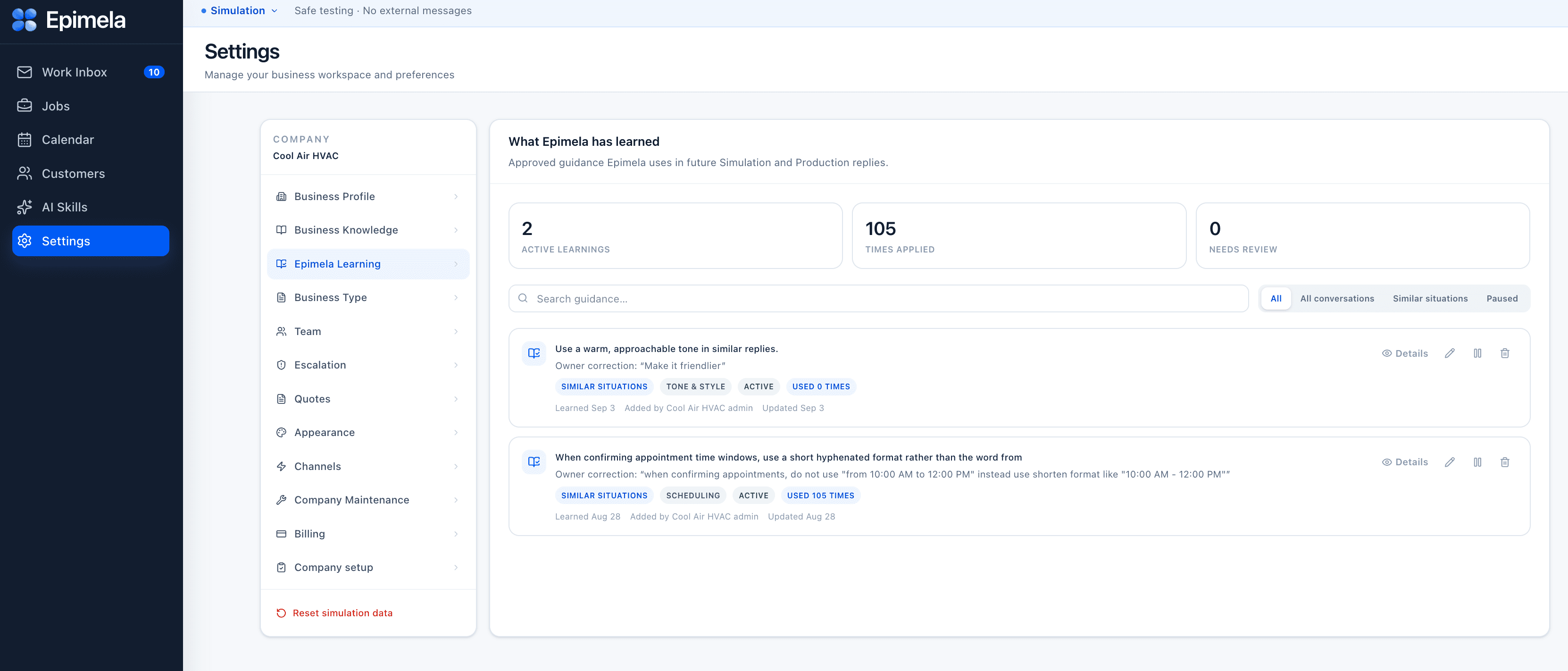
Your corrections, business knowledge, and approved guidance help Epimela improve future replies. See before and after previews, test changes, and reuse applied learnings in Simulation and Production.
Your feedback becomes approved guidance that Epimela learns from.
See exactly how a correction changes Epimela’s response.
Generate test replies and reuse applied learnings in Simulation and Production.
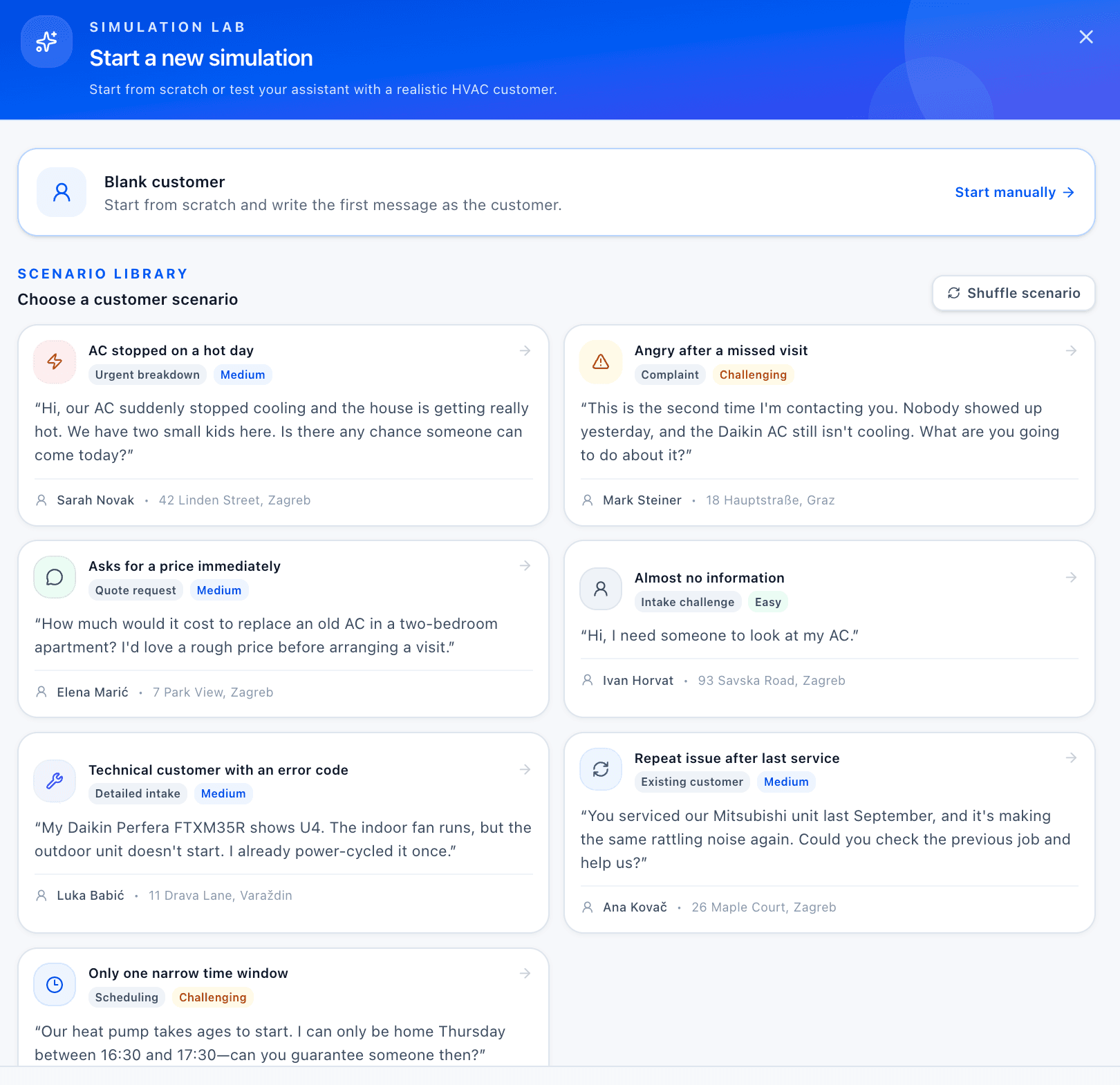
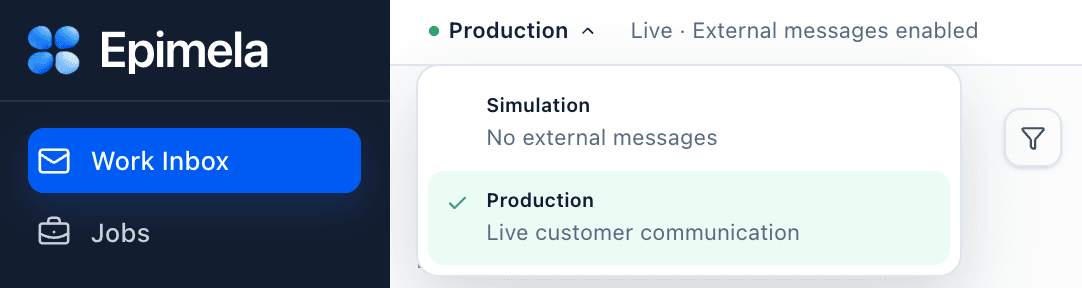
Simulation mode
Simulate realistic calls and messages to see how Epimela gathers and verifies details, follows your workflow logic, checks scheduling context and prepares an escalation note when a request needs attention. Then switch to Production with more confidence.
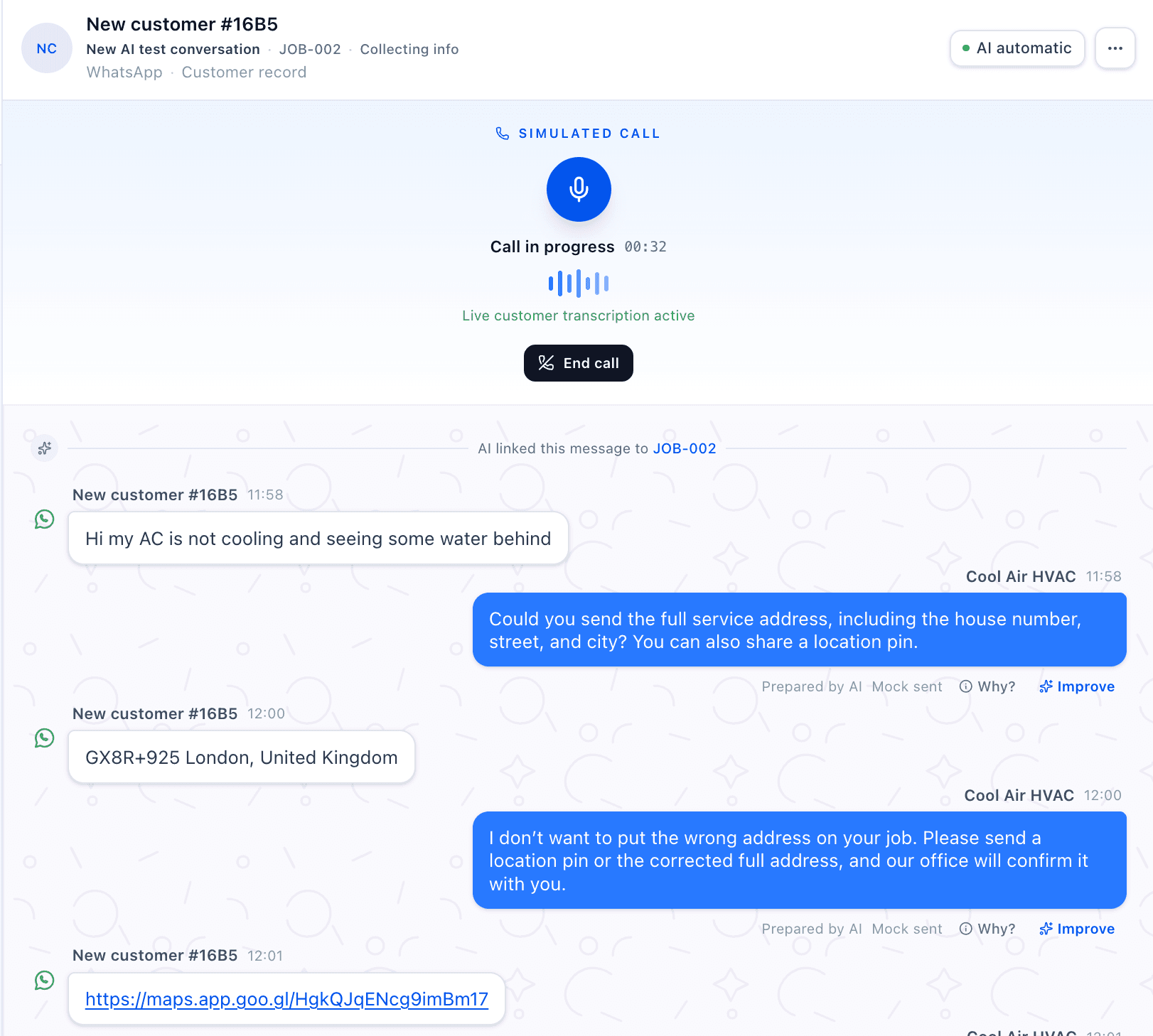
WhatsApp and two ways to use voice
Primary messaging channel
WhatsApp is Epimela’s main supported messaging channel today. Connect your existing WhatsApp number with a quick QR code scan — no separate number needed.
Web page voice control
Use your microphone to talk directly with Epimela through the web page, just like the live voice demo on our home page.
AI Phone add-on
Get a dedicated number for Epimela and forward calls from your business line. Epimela handles customer requests during selected hours or whenever you configure calls to be forwarded.
Your business, your prices
Send us your website. We set up Epimela with your services and price list and send you a private link, usually the same day. Free, with no commitment.